
Navigating the High Museum of Art
Developing a map redesign, kiosk and mobile system solution to assist visitors with their navigational needs at the High Museum of Art.
Duration
10 months
Role
Lead Designer and Researcher
Team
3 members
Tools
Figma


01
The Challenge
The Problem
When visiting the High Museum, visitors find it difficult to navigate between buildings for a few reasons:
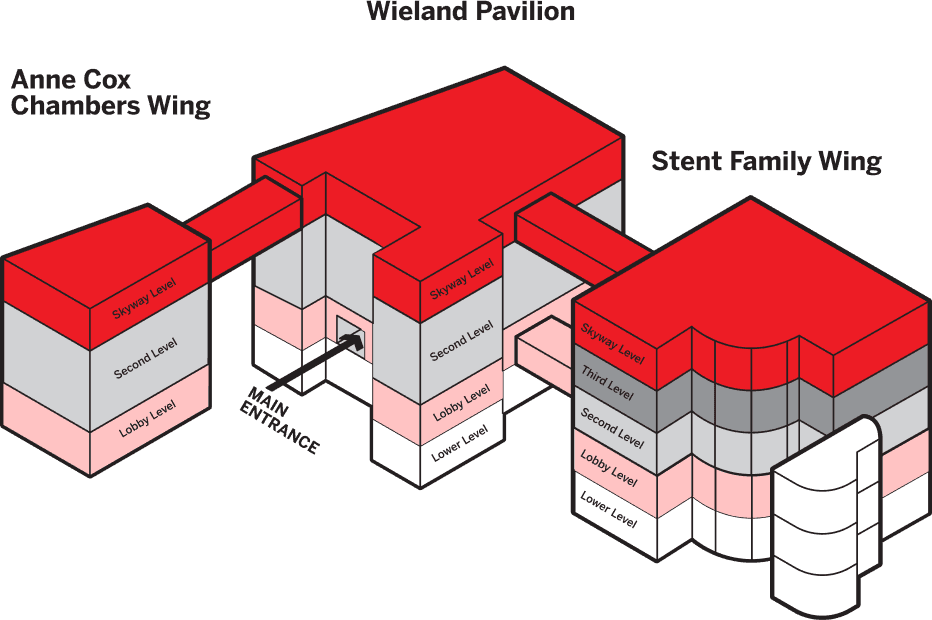
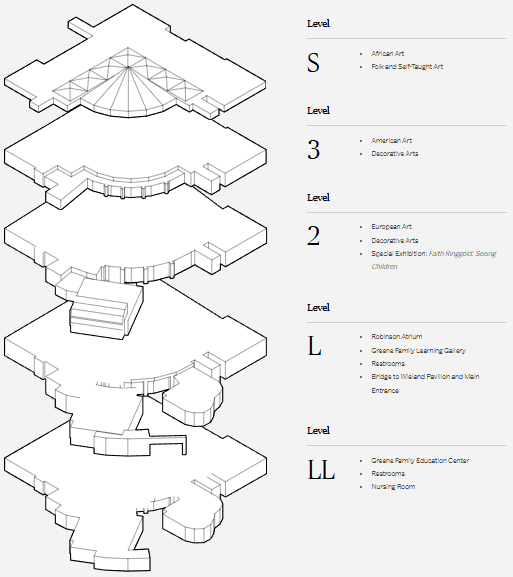
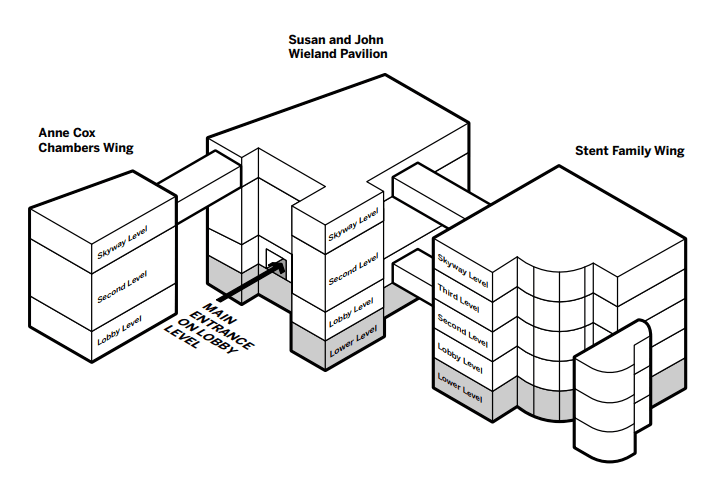
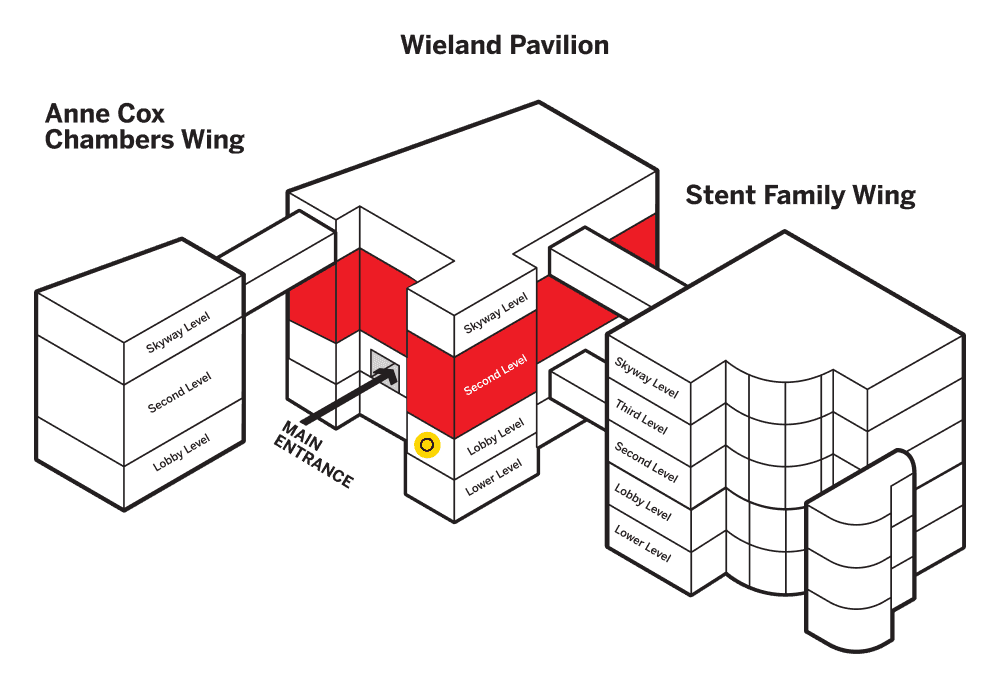
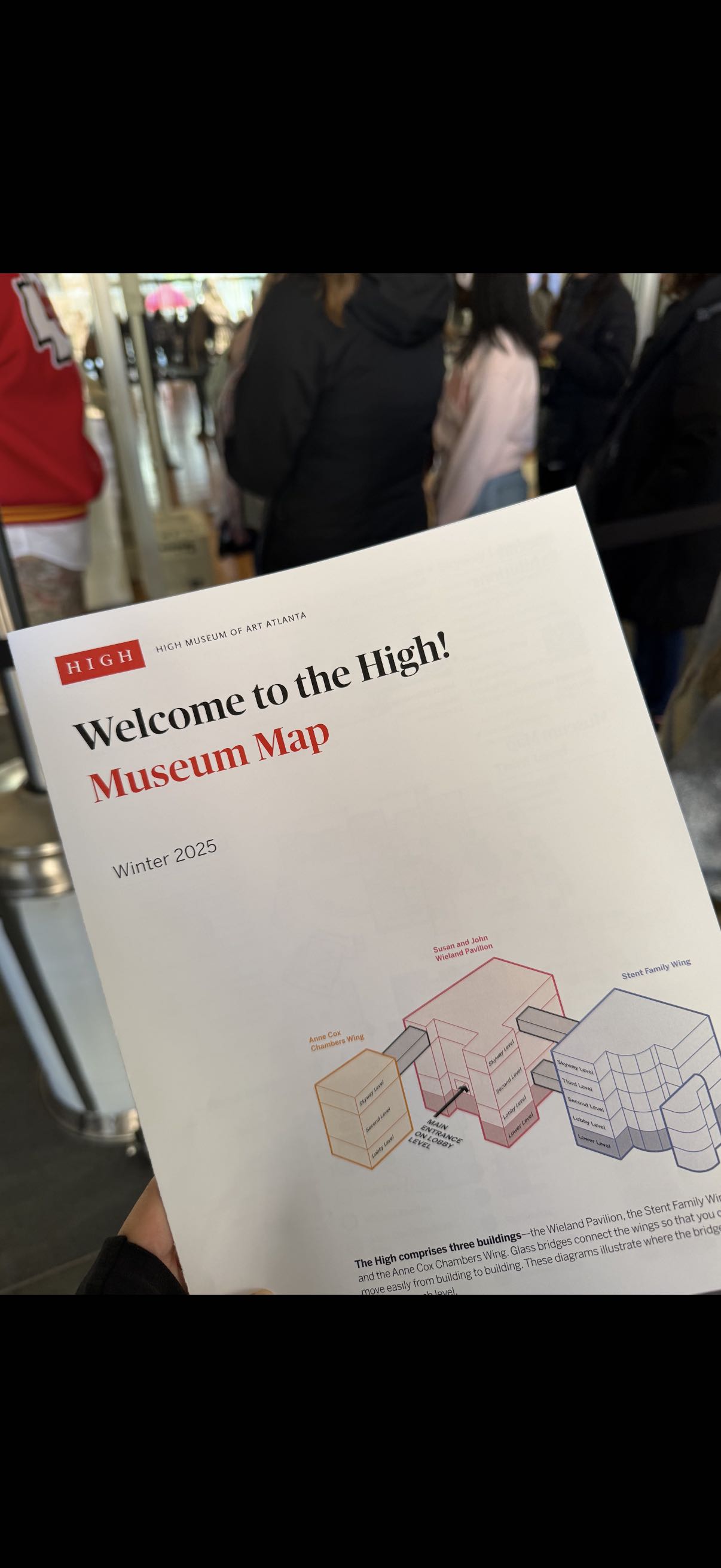
3 separate buildings
3 bridges connected on different floors
Different wall heights resulting in mismatched floors
Inconsistent naming conventions
This is a 25 year-old problem!
The Solution
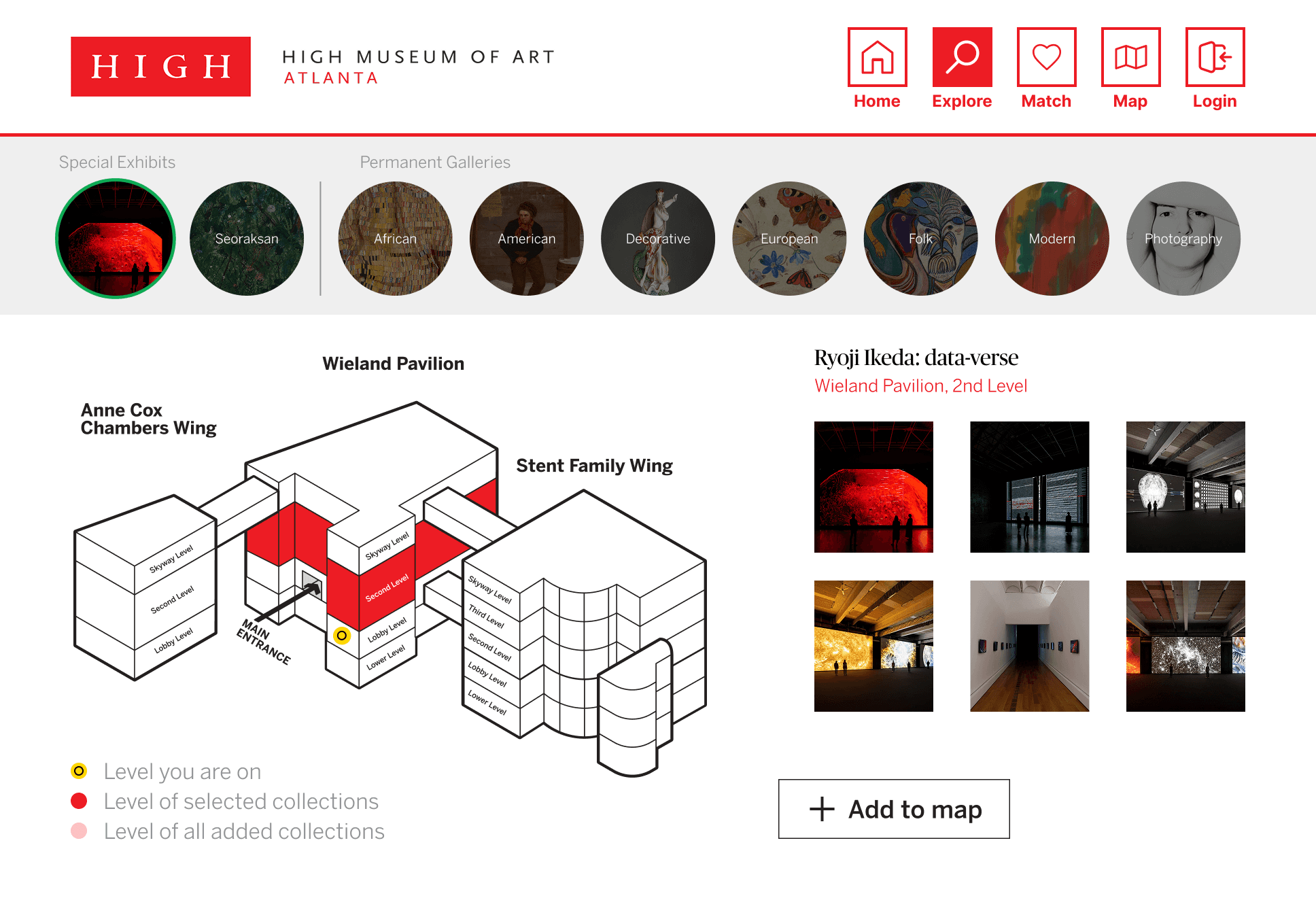
Kiosk and Mobile System
Allow visitors to quickly plan, save, and navigate to exhibits they want to see during their visit.

Map Redesign
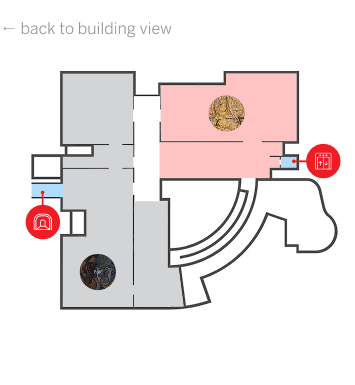
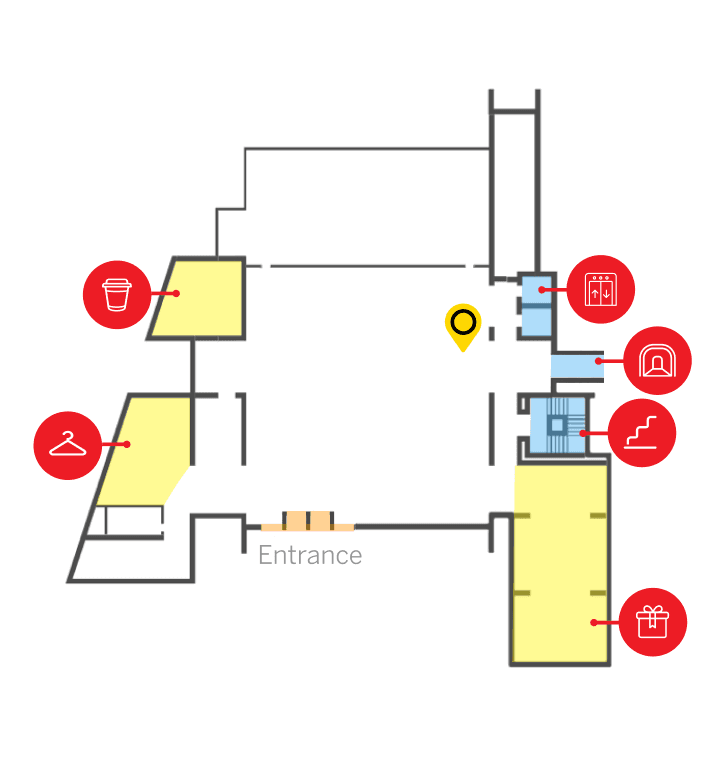
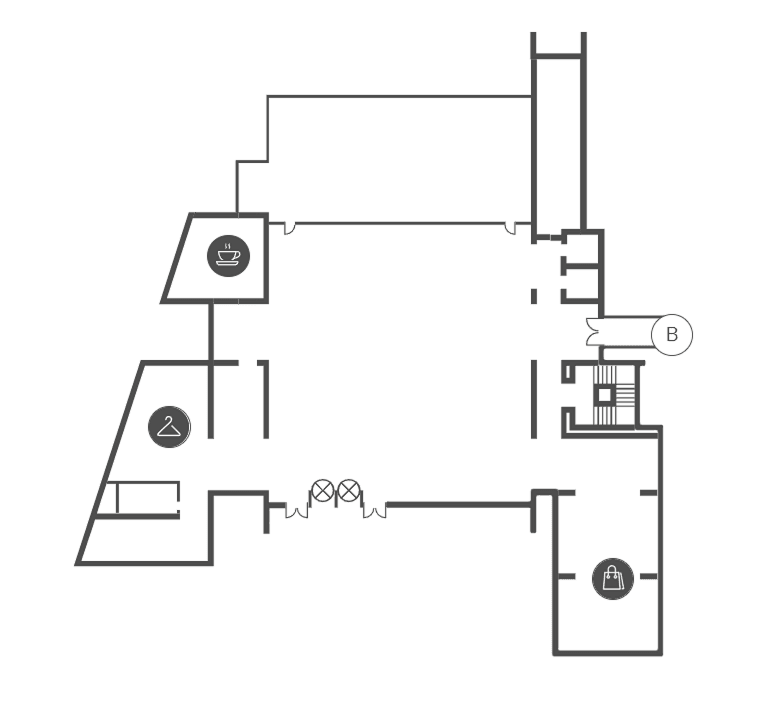
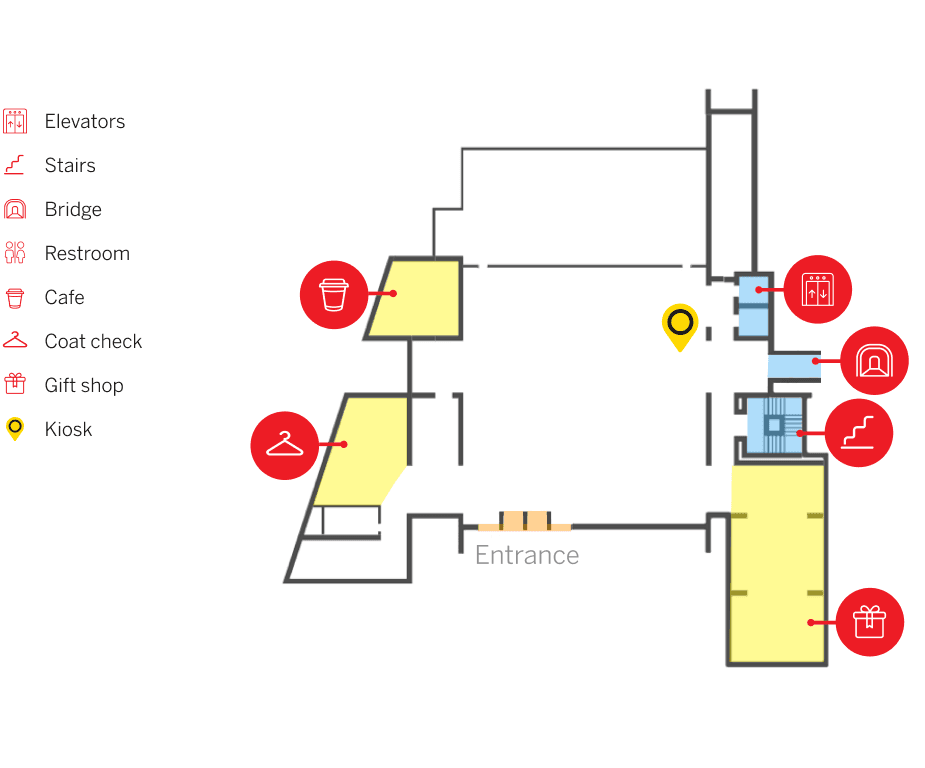
A redesigned map to help visitors better understand the structure of the museum and navigate with ease.
02
Research Phase
Problem Statement
How might we improve users’ experience with navigating between buildings and exhibits in the High Museum?
Research Questions
1
What is currently understood about the relationship between wayfinding and visitor engagement?
2
How do other museums go about guiding their visitors across exhibitions?
3
What does navigation look like for visitors at the High Museum?
4
What is the impact that current navigation tools have on visitor experience at the High Museum?
Lit Review
Comparative Analysis
Contextual Inquiry
Field Studies
Stakeholder Interviews
Literature Review
Researcher and Analyst
Research Goal
Understand the impact navigation has on visitors and the relationship between way-finding and visitor engagement.
Focus
Museum and Visitor Studies
Wayfinding
Wayfinding in Museums
Key Findings
Explorer related motivations are a common type of identity visitors inherit
Effective wayfinding relies on a combination of clear environmental cues, cognitive strategies, and user-specific factors
Interactive navigation can be helpful, but visually demanding distracting from the art
The design of movement and paths can determine how visitors explore the museum and their levels of engagement
41 papers and articles analyzed

Research Synthesis Workshop
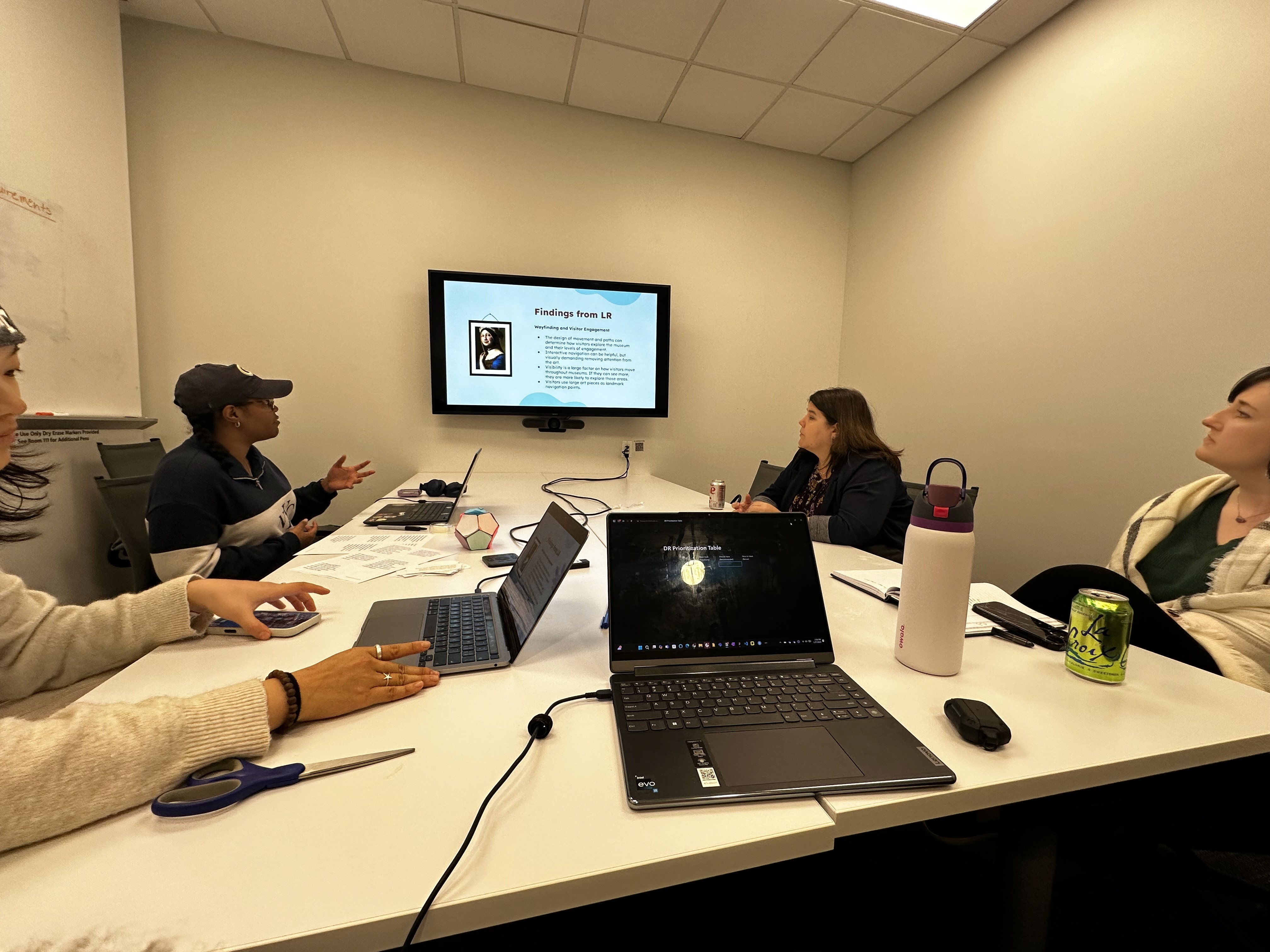
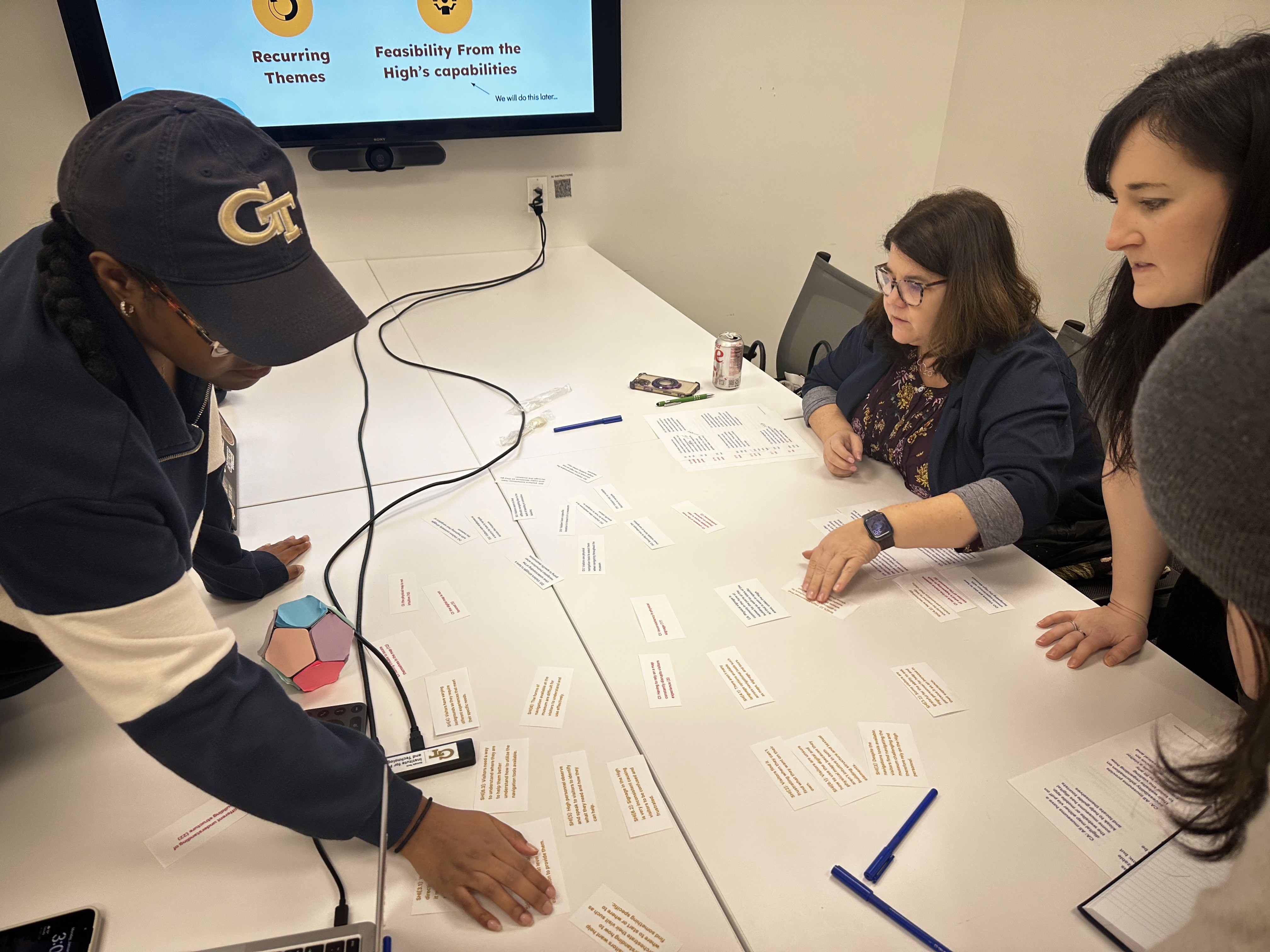
Compiled all findings and met with our client's at the High Museum to synthesize our findings with business needs in mind. This 2 hour workshop resulted in the development of our design requirements and a breakthrough finding that changed the way the High viewed the problem.
Research Findings
1
Visitors have a different spatial perception of the building structure compared to the High personnel
2
Visitors have different intentions when coming to the High
3
Many people rely on staff within the museum but it doesn’t always result in successful wayfinding
4
Existing tools show what is offered in the museum but not how to get there nor indicate visitors’ current location
Design Requirements
1
System should bring the two perspectives of the High together (mental model alignment)
2
System should support varying motivations
3
System should support effective communication with High personnel and visitors regarding navigation
4
System should create consistent vocabulary to what is physically existing
5
System should help people navigate from one space to another

03
Design Phase
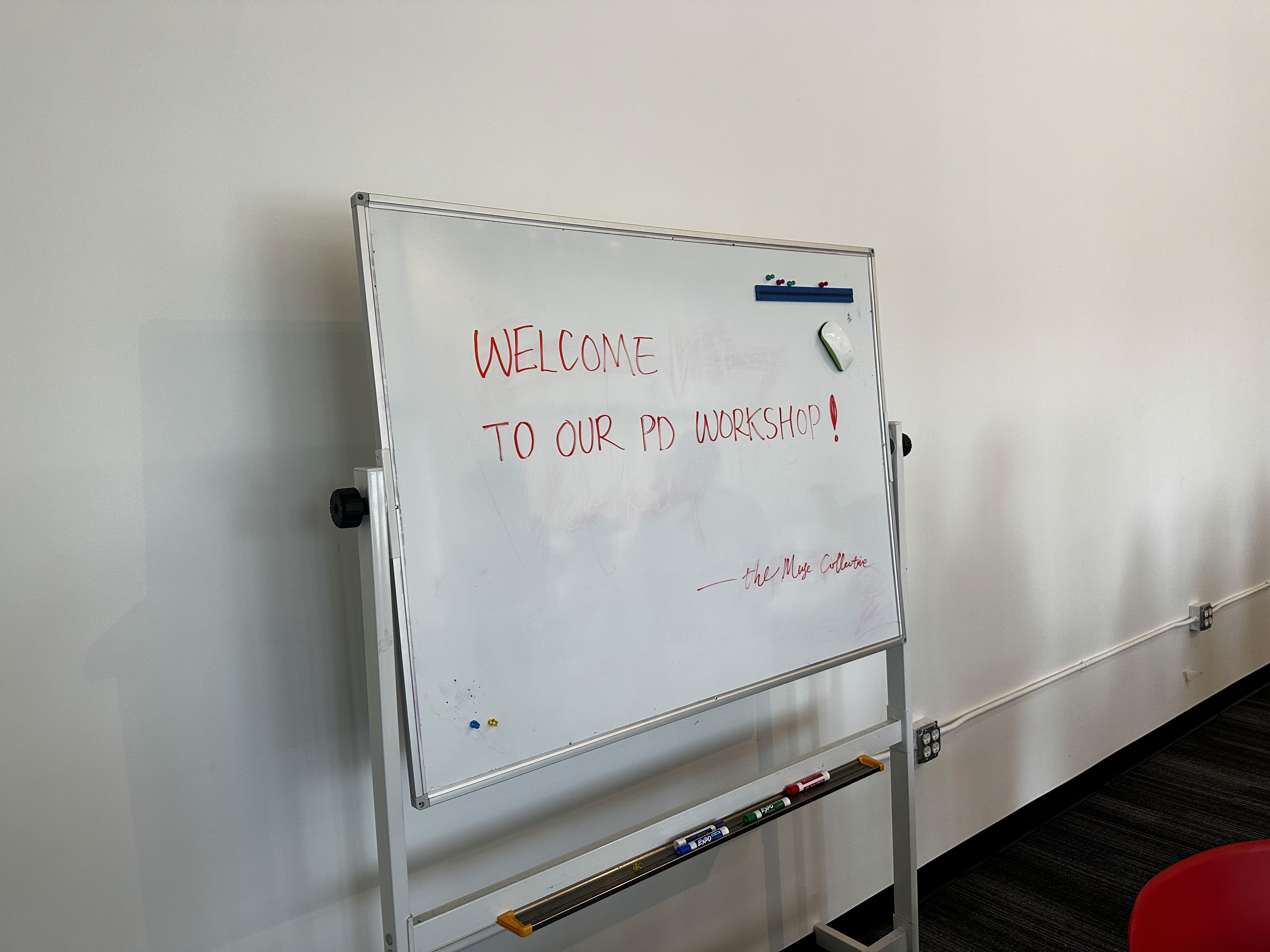
Co-Design Workshop
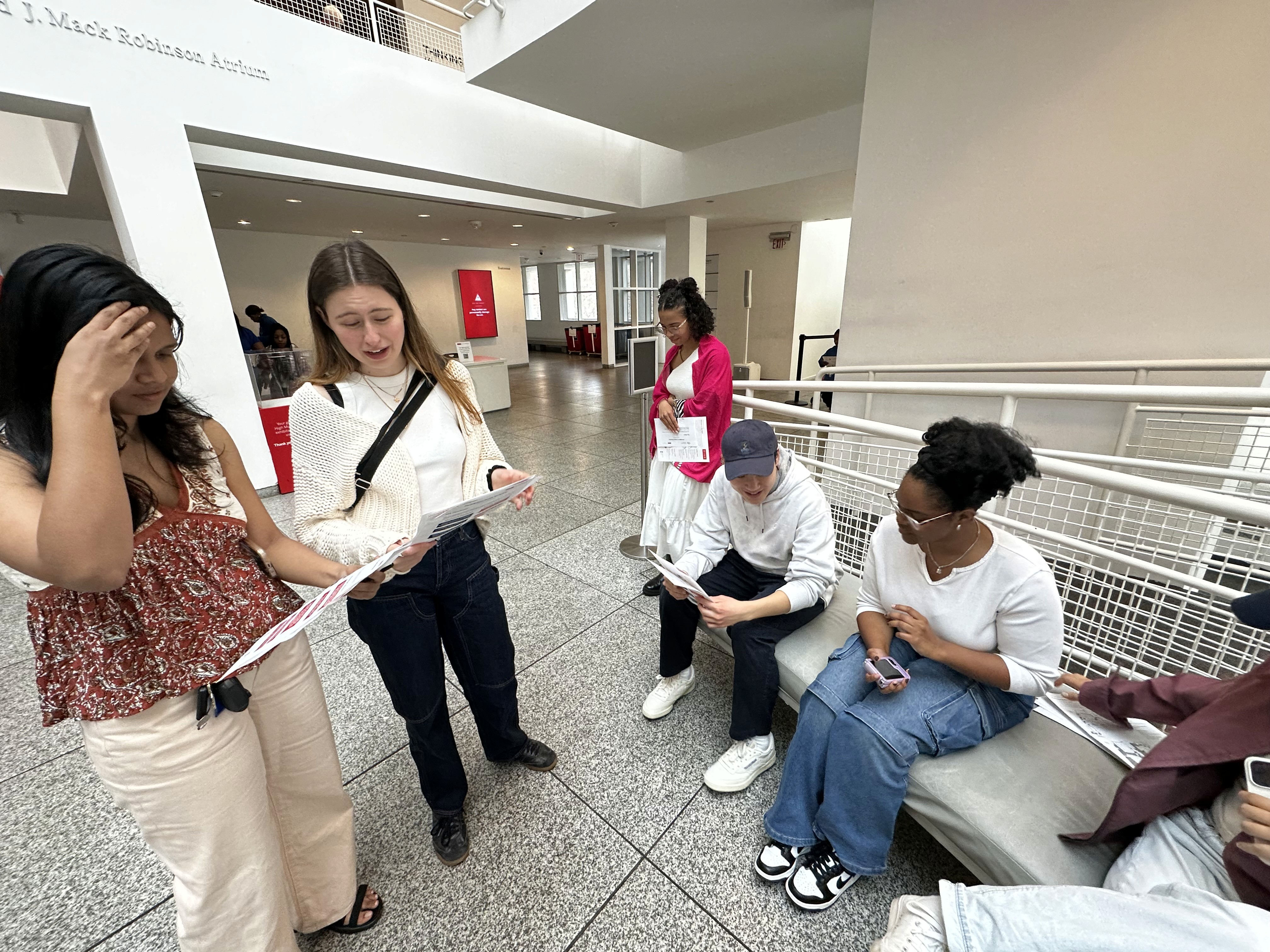
Hosted a co-design workshop where participants were able to explore the museum while paying attention to navigation techniques, signage, and building structure. They followed this up with a round of crazy 8s, iteration, and then a sharing ideas.
7 participants
1 round of crazy 8s
40+ design ideas

Design Synthesis
We compiled our ideas and the ideas from the session, organized them by themes, ranked them based on how many design requirements they met, and then presented our findings to our clients to get their input. During this meeting, we decided that our final solution was a kiosk experience which would later expand to mobile.


Wireframing


Feedback and Iteration
After conducting early concept testing, participants thought:
The kiosk relieved some cognitive load
The art matching feature was fun
QR codes were convenient and reduce time spent waiting at the kiosk
The system is intuitive and user friendly
The biggest issue was that users wanted to see more information when they click on collections.


Design System
To fit seamlessly into the High's current design style, the design system is built upon their style.

4
Iterations
18+
Components
200+
Variations

Map Exploration
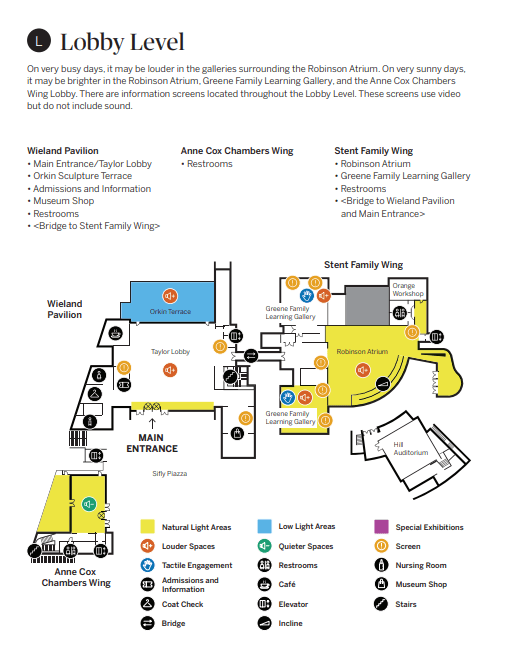
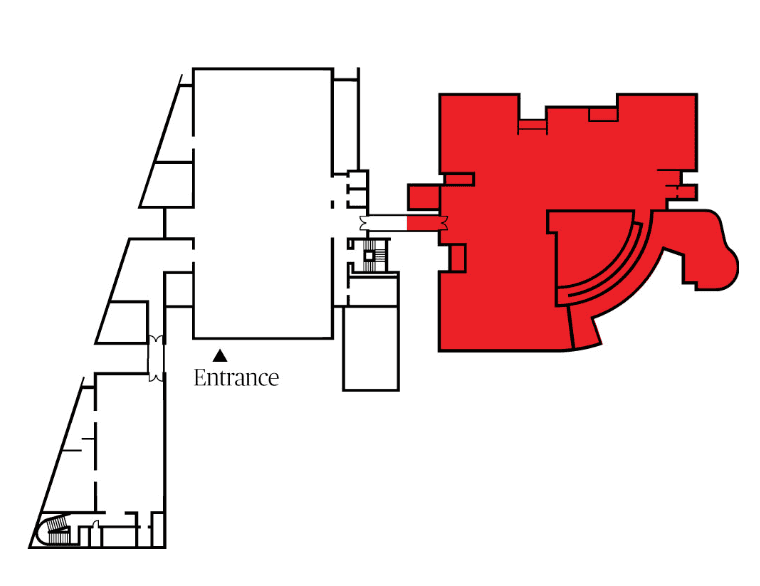
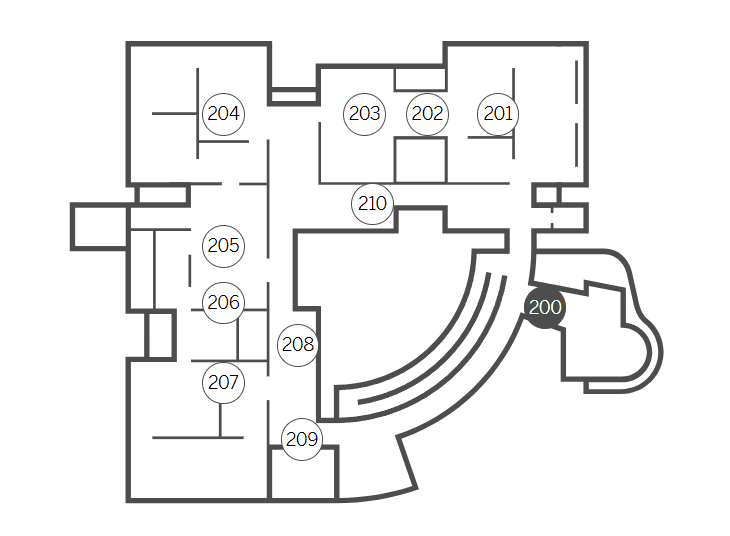
Existing Maps


04
Test and Iterate
Expert Heuristic Testing
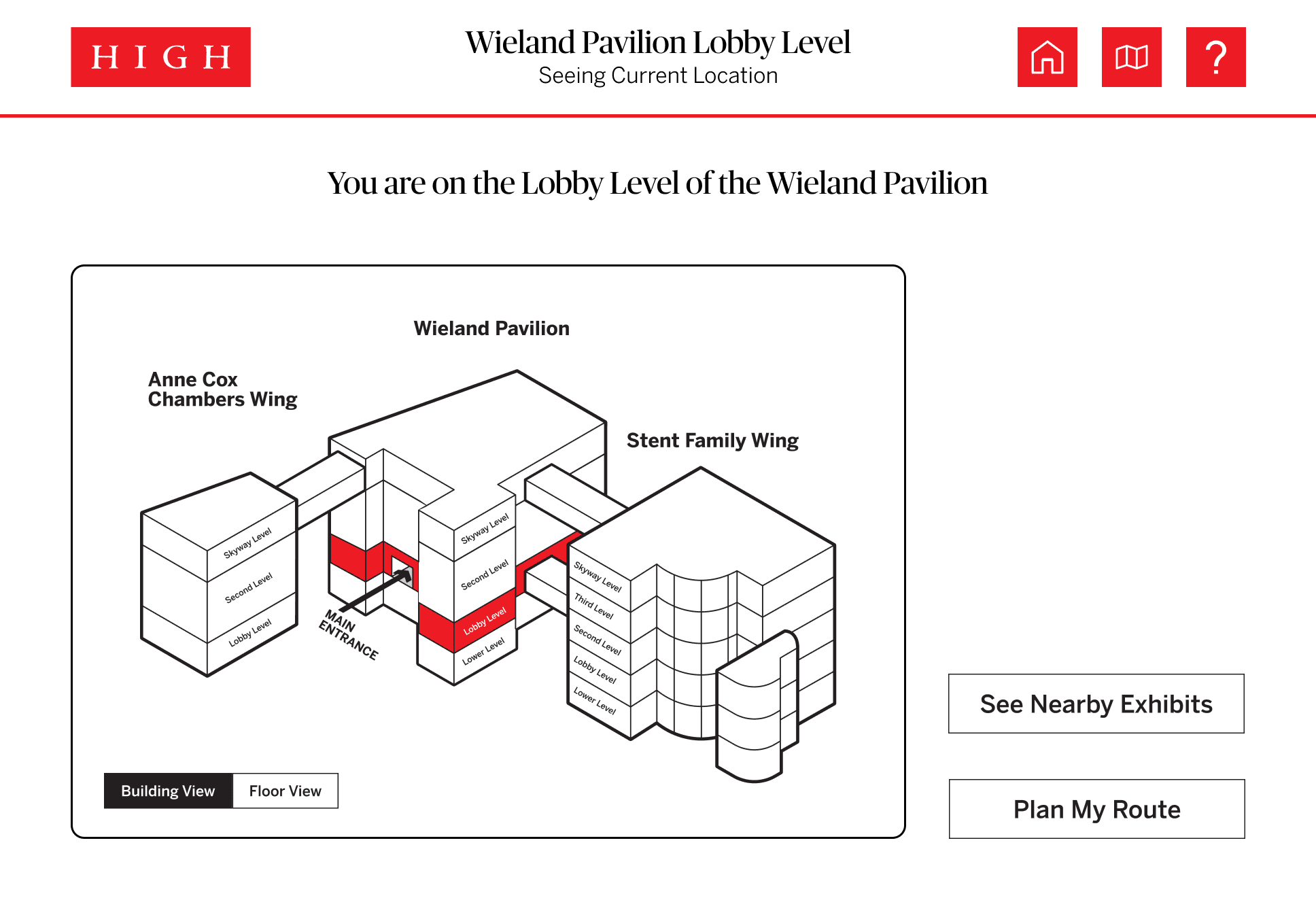
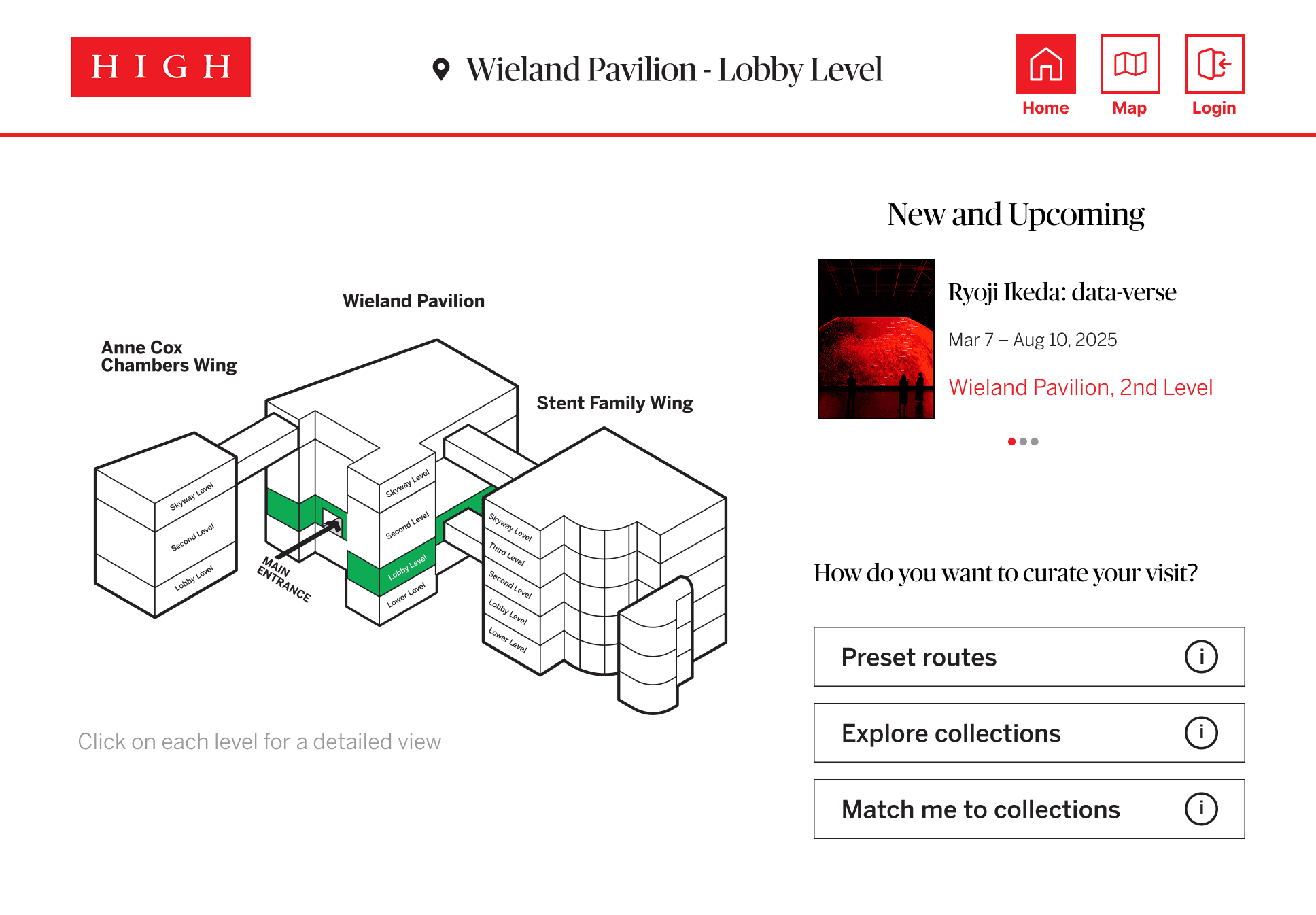
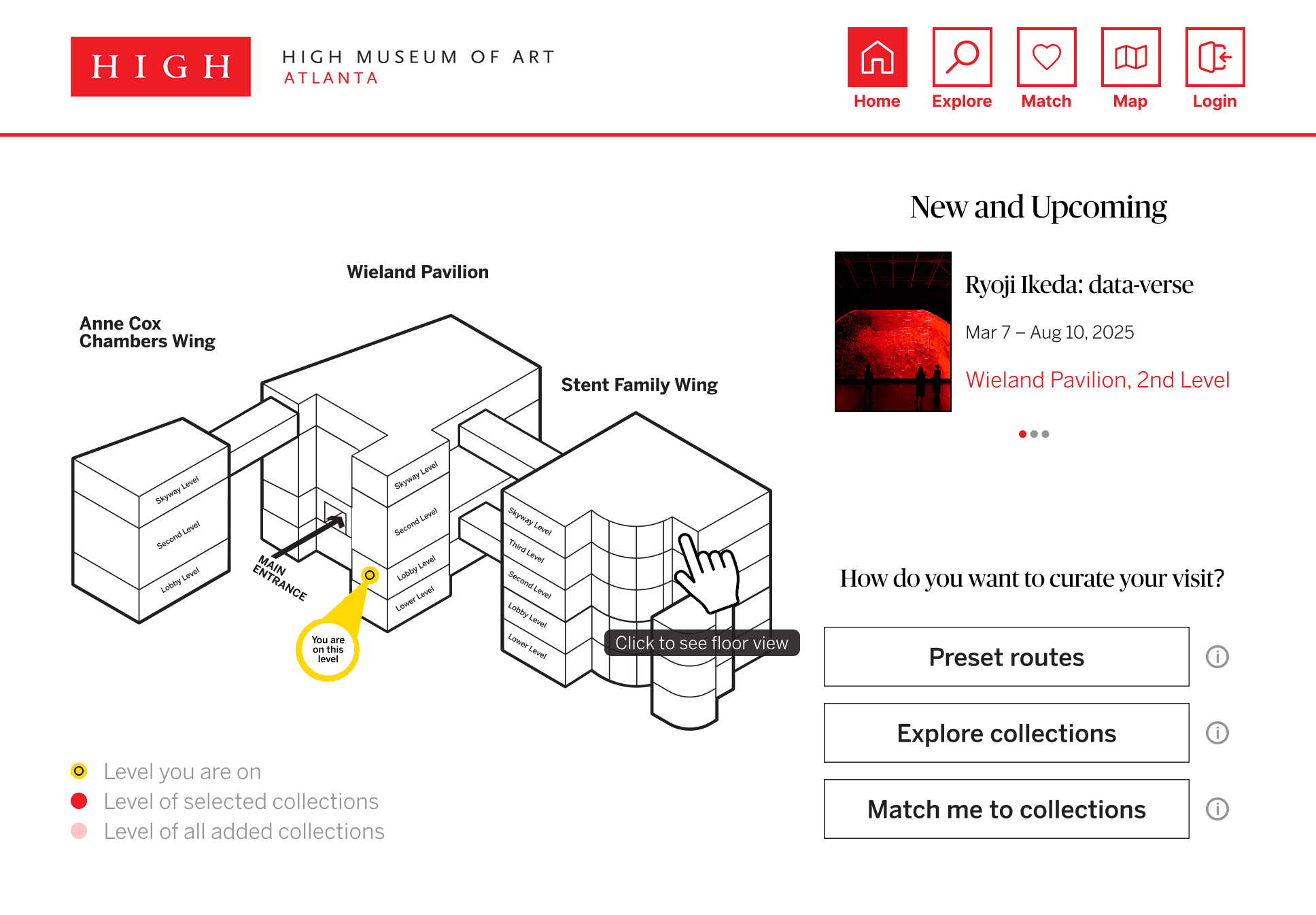
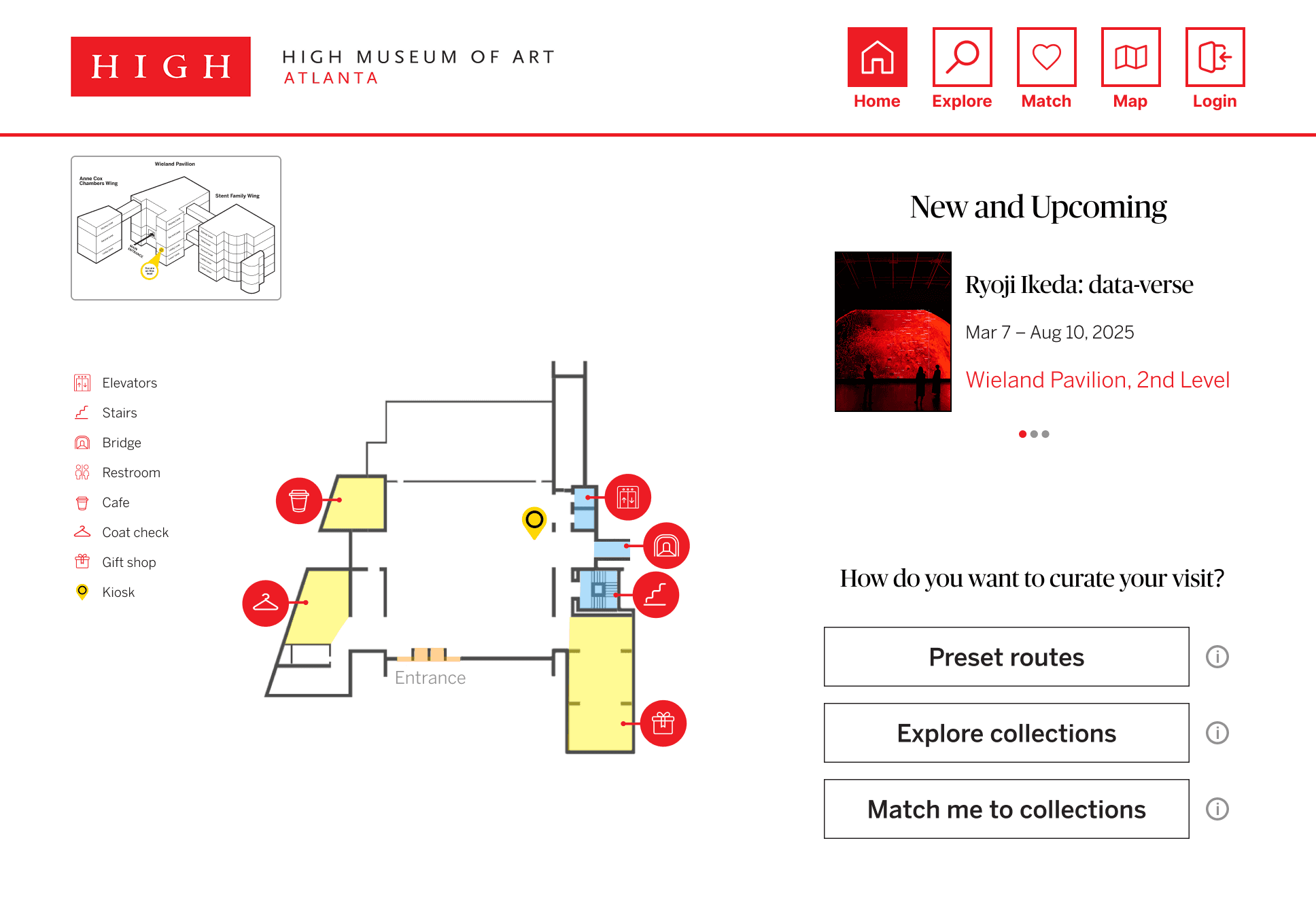
Home Screen
A section for new exhibits was added to provide users quick access
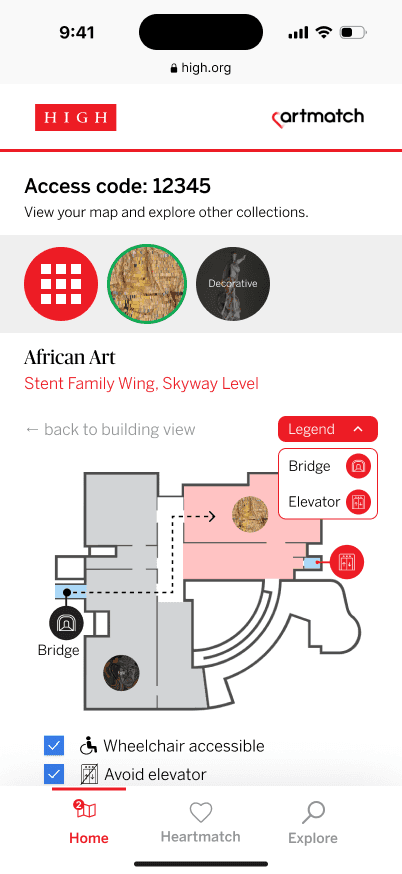
Map indicators were added to help users identify their location
The map was improved to include a detailed view where users could see the floor plan
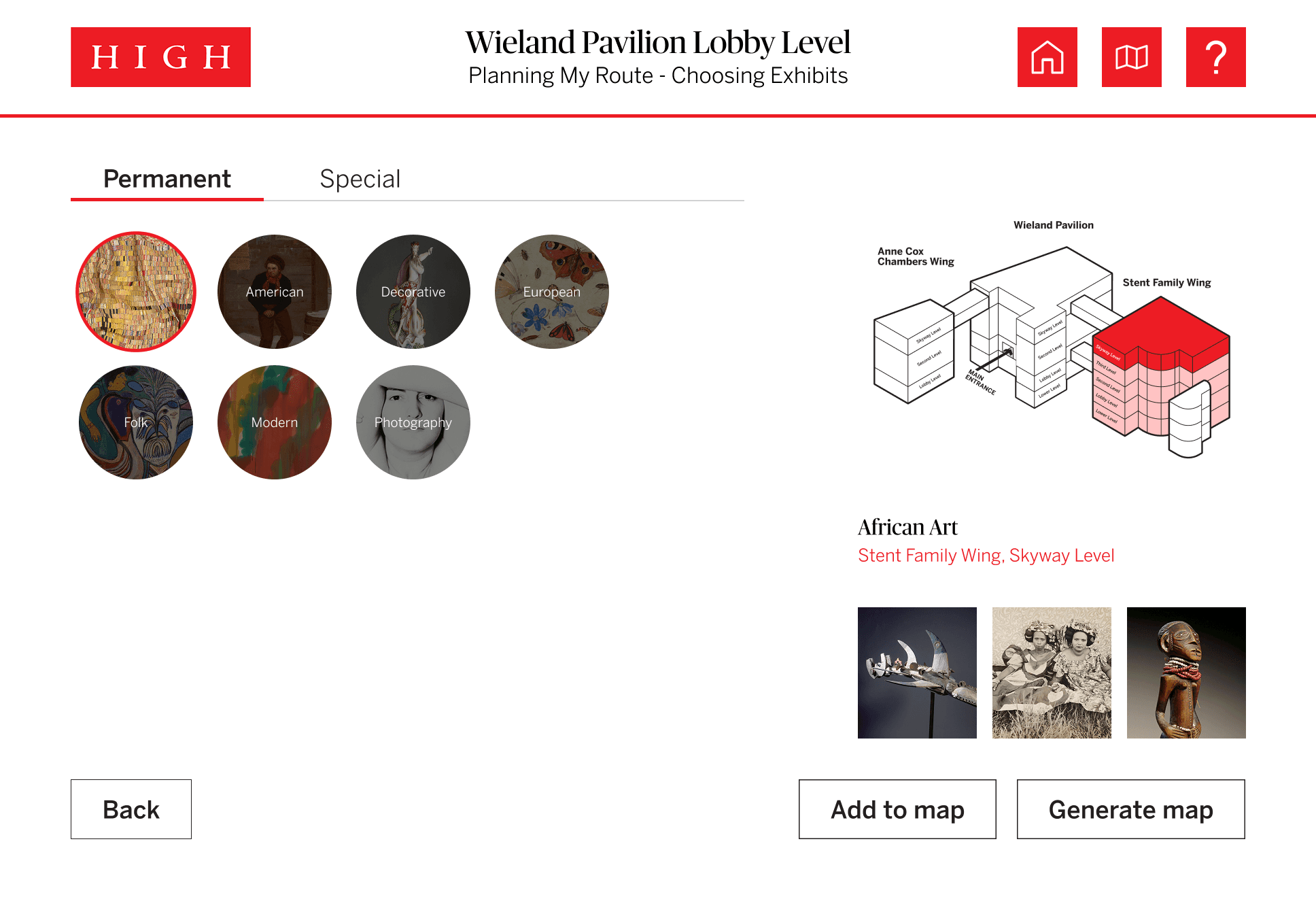
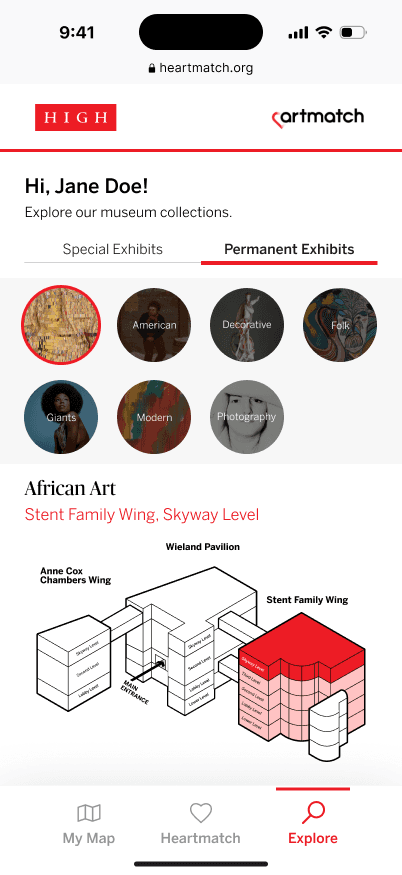
Explore Collections
Tabs were changed to a list of all exhibits so users could see everything in one view
Maps were made interactive so that users could view details
A location marker was added to the map so that users know where they are in reference to the exhibit they are viewing
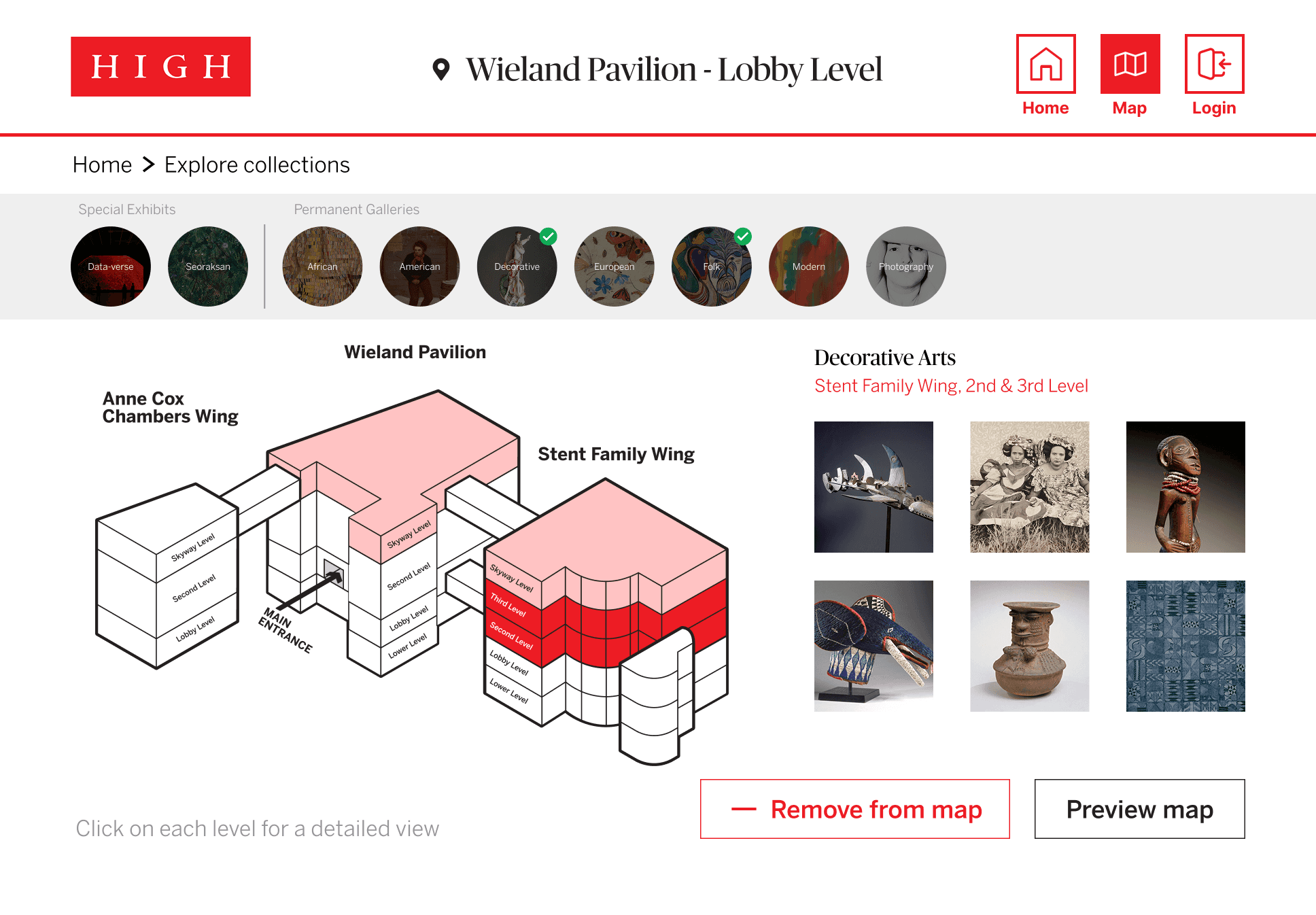
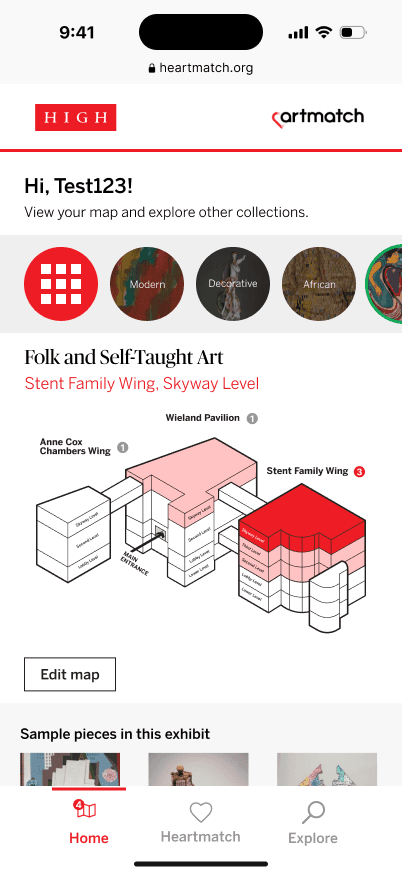
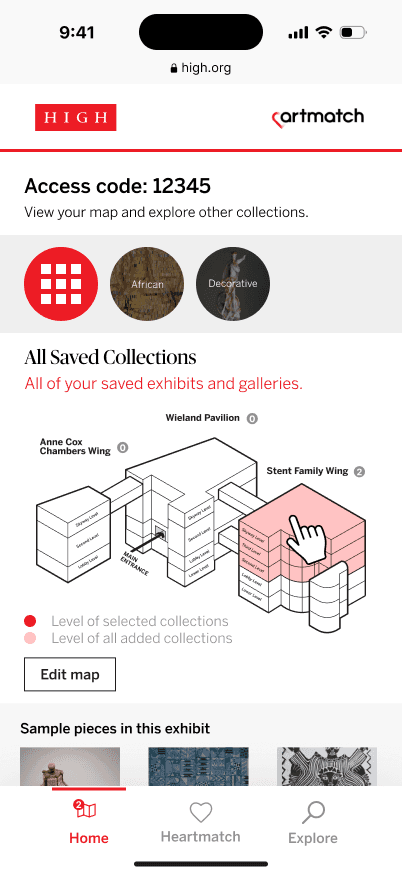
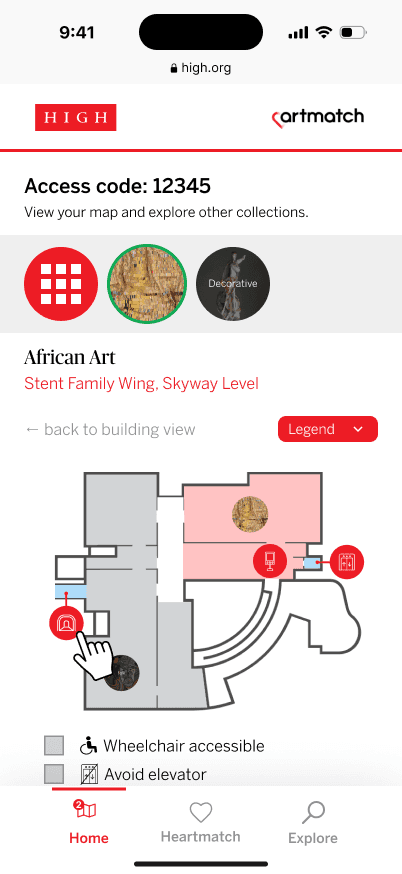
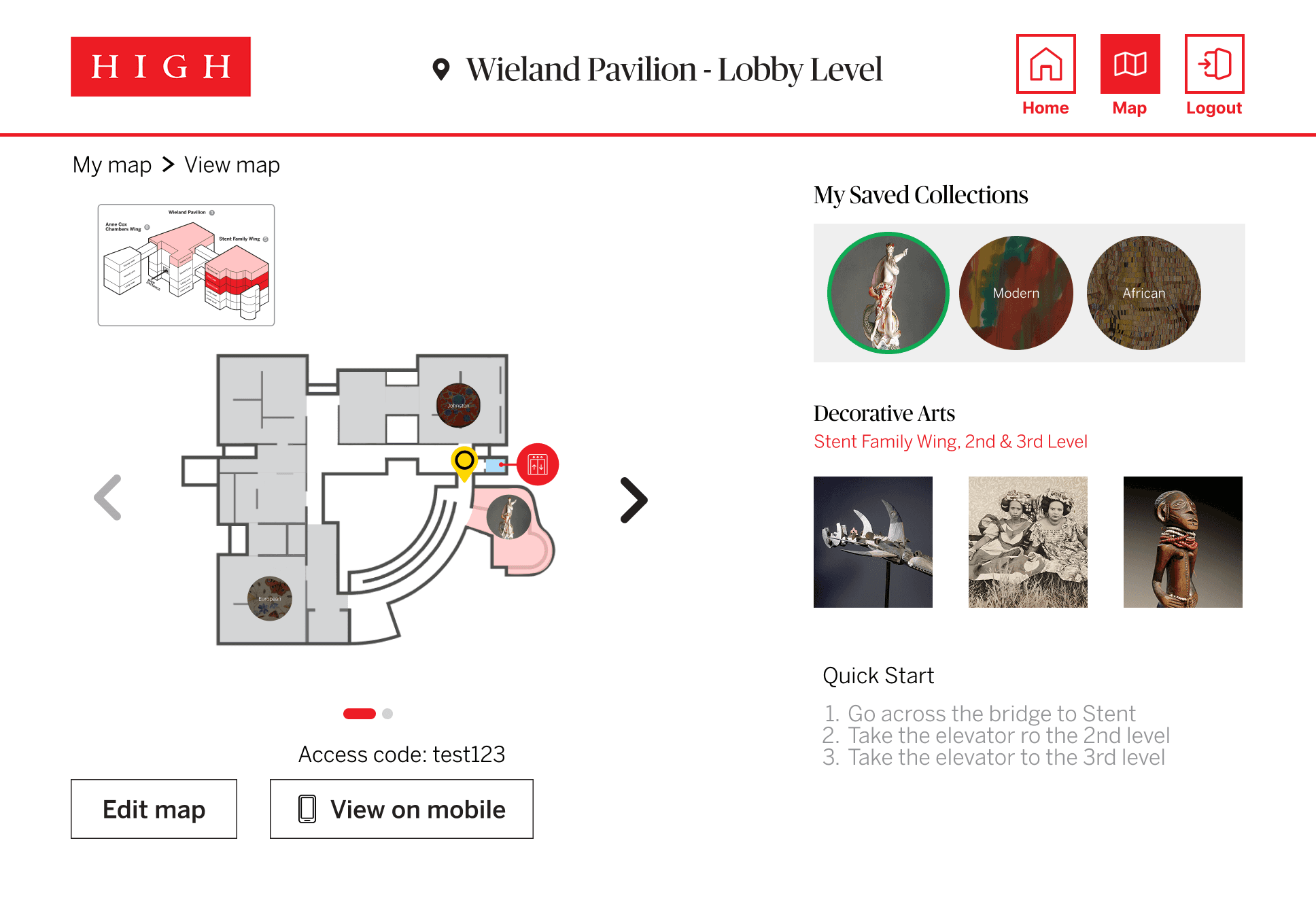
My Map
Edit options and mobile access codes were added for map management
Quick start directions were added to help users navigate to exhibits once leaving the kiosk.
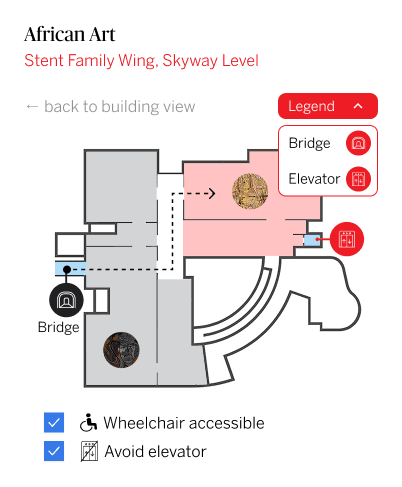
Accessible route options were added to mobile versions and routes are marked on the map
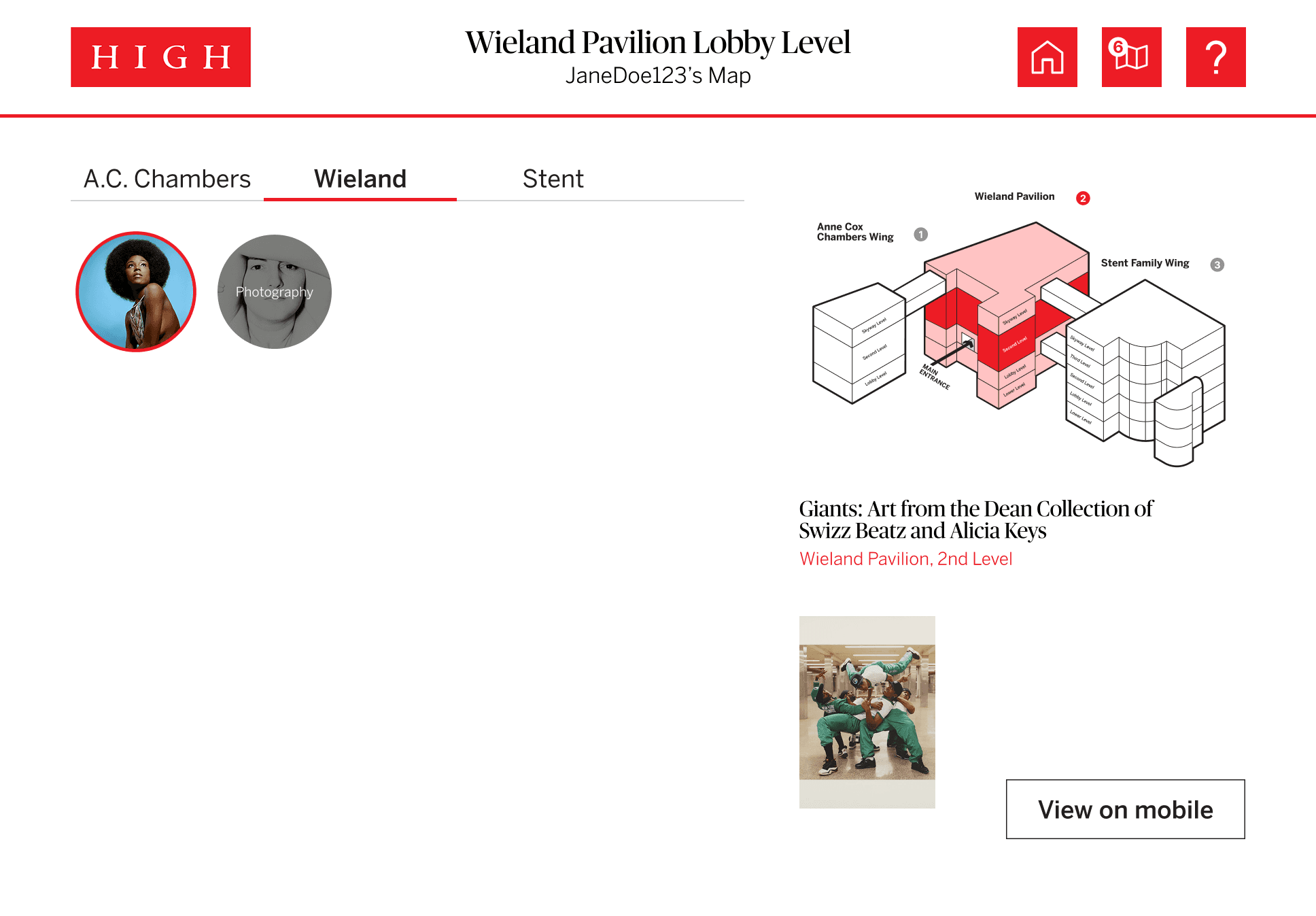
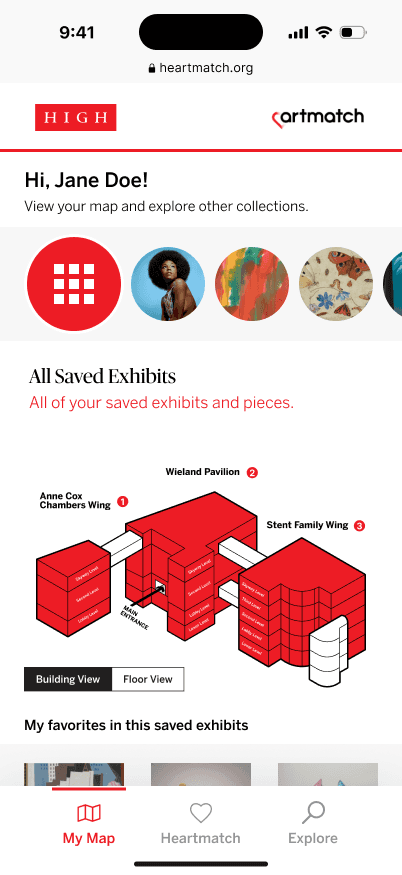
Usability Testing
Process
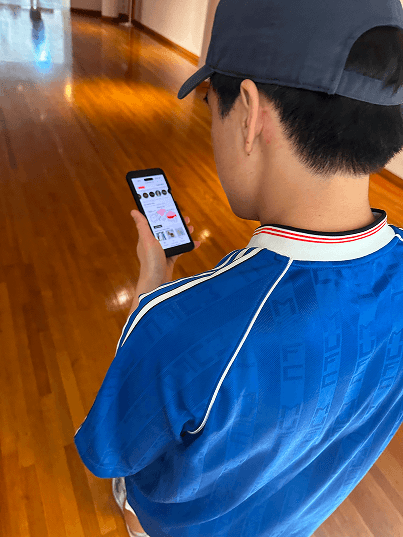
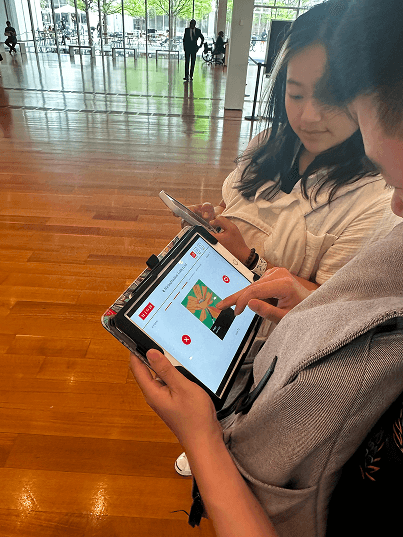
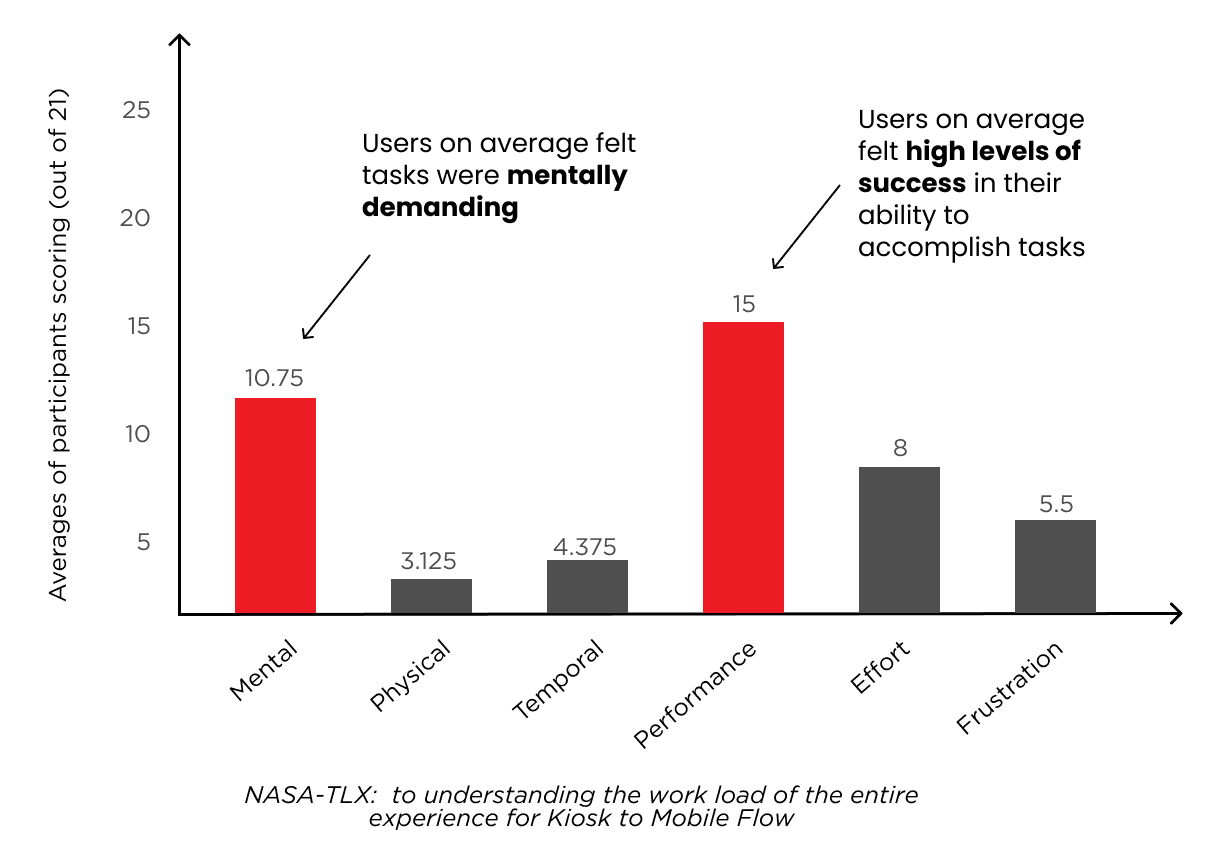
Participants were asked to complete various tasks on the kiosk and mobile versions while navigating to different exhibits. After each session, they filled out a NASA-TLX and SUS questionnaire to help us understand how they system performed.
Results
Participants found that the system was intuitive and supported their navigation of the museum.
However, while the system was helpful, the mental load was quite high indicating the need for another round of design iteration to help reduce the workload on users.
05
Final Prototypes
Kiosk to Kiosk
A visitor comes in to the museum and isn't sure what they want to see. They visit the kiosk and decide to explore a new collection.
Features:
Animation to introduce building layout
Tutorial for using the kiosk
Map of building/floor and indication of current location
Carousel bringing attention to new exhibits making them easier to find
The visitor comes back to another kiosk and decides they want to try a preset route to plan their visit.
Features:
Preset routes to help visitors who are unsure where to start
Information about each exhibit including name, location, sample pieces, and location on the map
Add/remove exhibits from the route for customization
Quick directions to help jump start navigation away from the kiosk to an exhibit
Ability to toggle accessible routes
Kiosk to Mobile
A visitor comes into the museum and wants to explore what it has to offer, so they visit the kiosk to create their route. Once they are done, they decide to view their curated map on their mobile device.
Features:
Kiosk
Ability to explore all exhibits and view their location, and sample pieces
Ability to add/remove exhibits from their map
Saving the route to view on kiosk or mobile device
Mobile
Access to map from anywhere
Highlighted routes to exhibits
Edit access on the go

After some exploring, the visitor decide to consult the web app for some recommendations.
Features:
Liking/disliking pieces to receive a curated recommendation list of exhibits to visit
Adding new exhibits to the current route
Map Redesign
06
Outcomes
Project Results
The project was presented to various stakeholders at the High Museum of Art and handed off for future use
As of December 2025, the project was used as the foundation for understanding how to communicate the structure of the building to visitors on the physical map.
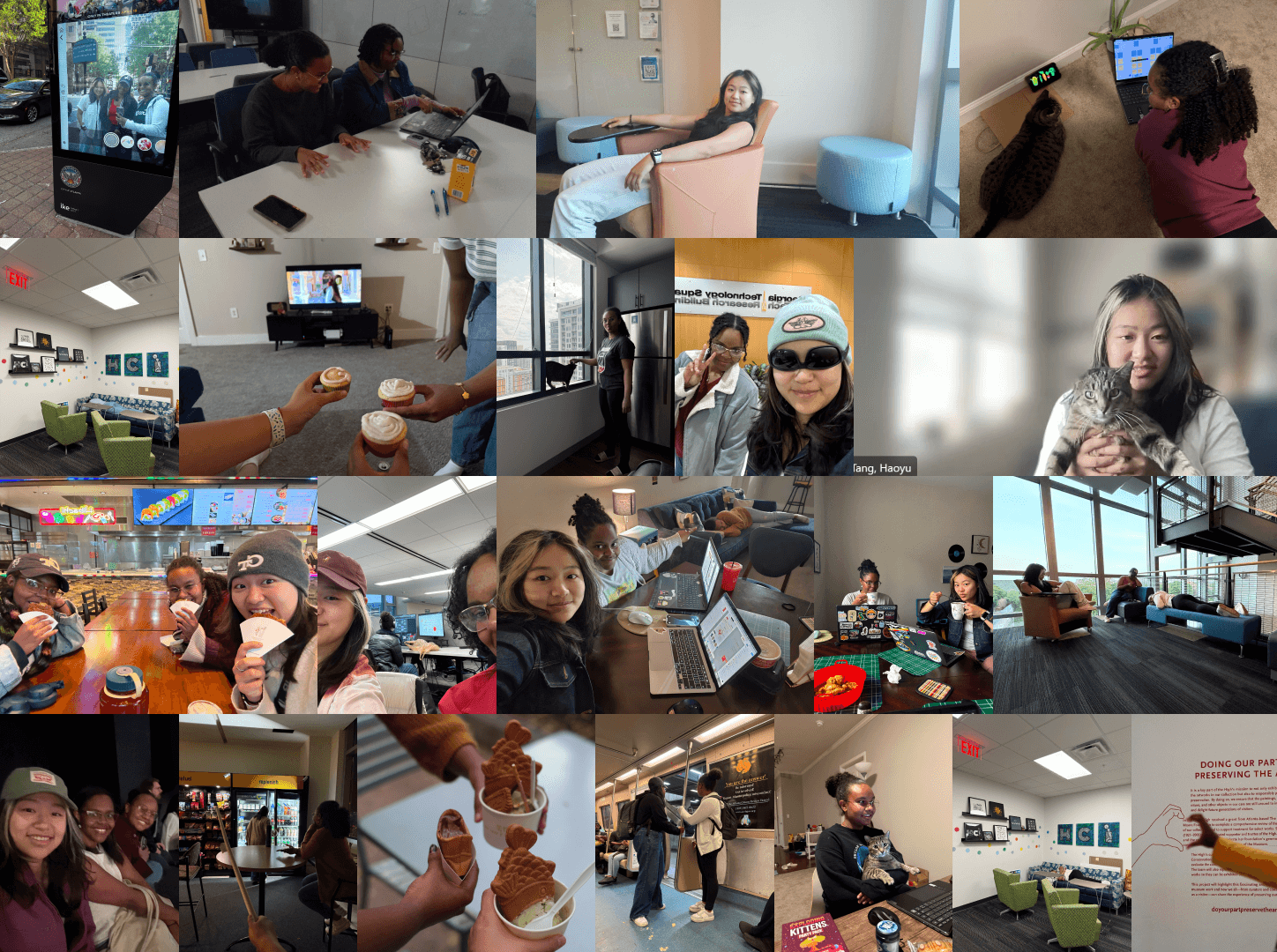
Big Thanks To My Team
~ The Muse Collective ~

Emily Layton © 2025